My teleconf setup
Several friends have asked about my camera/videoconferencing setup, so some notes on that. [Updated May 2024]

Picture from my desktop camera. Lighting isn’t quite as even as I’d like (and as always in stills, my smile is goofy) but you can see the background blur (“bokeh”) clearly.
#Why?
I realize it seems trivial, but there are two reasons, for professionals and executives, why you should care about your teleconf setup:
- you can’t control networks, and often don’t control what presentation software you’re using. What you do control is your hardware, so make that the best you can.
- For lawyers, a good videoconferencing setup is now like a good suit—says nothing about your substance, but helps make a good impression in a field where impressions, for better and for worse, matter.
#Camera
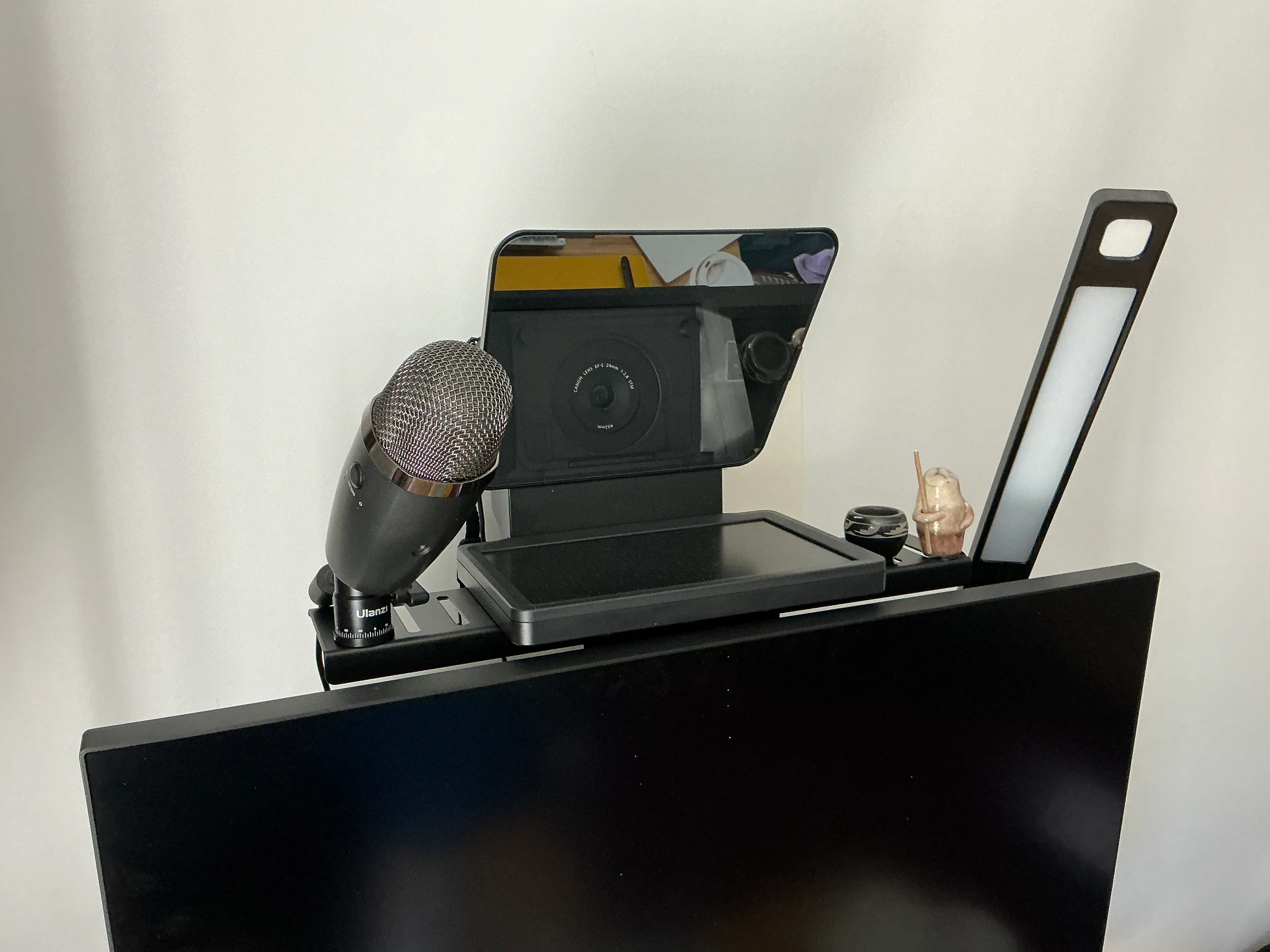
I bought a Canon 77D years ago and use it with this 24mm pancake lens. Given the cost, I’m not sure this makes sense for most people to do unless they already have a compatible Canon laying around, or can find one used. But if you do have one in a closet—do it!
As an alternative, friends speak very highly of this Dell camera; elgato now also makes high-end cameras marketed to streamers but great for Zoom.
#Camera connection
To connect the camera to my laptop, I use the elgato CamLink. Note that it works OK for me, but not great, because my Canon is too old. If you’re using an older Canon, or considering buying a used older SLR, check the compatibility list.
I used to use Canon’s driver, but it broke for months after a MacOS operating system upgrade. Do not recommend.
#Light
I cheat by having good natural light in my office. So I do not have elaborate lighting—basically this. But lots of vendors now make a variety of good lights—I’ve been tempted by these, for example.
Pro tip for first-time home workers: if you have two rooms, one dark and one bright, make your bedroom dark and cramped and your office big and light.
#Microphone
I have a Blue Yeti mic. I’m not sure I’d recommend it for most people. The audio quality is very good, but positioning it over a desk is finicky. In addition, it has a headphone jack—which is fine except it insists on reporting to the operating system that it is live even when it has nothing plugged in, so I frequently have to say “no, bad zoom, use the speakers that are actually speakers”.
If I were doing it over again, I’d get something designed more specifically for the home office use case. A friend swears by their Jabra 510, and this combo speaker/USB hub from Logitech looks pretty interesting.
#Teleprompter
After years of avoidance, I bought an elgato teleprompter and it is solid! There is one big challenge, and a few small ones.
The big one: it ends up a long way above your monitor, especially if your monitor is large. That means you are either (1) having the monitor at the right height, and looking up at the camera a lot (2) having the camera at eye level, and looking down at your monitor too much or (3) moving everything up and down a lot. I do (3) but that’s facilitated by having an electric standing desk—so moving up/down is just a matter of jamming the button. If you don’t have a standing desk, you might want to experiment with just moving the camera up a bit from your normal webcam-right-above-the-monitor-edge position and seeing how that works for you before committing.
The minor issues: the software is mediocre; you have to turn down the brightness to so that your face doesn’t look washed out; and every time someone shares a document in Zoom you have to jump through some hoops to get the shared document legible (which it won’t be on the small teleprompter screen). But overall it feels like a good upgrade—making me more likely to make eye contact with the people I’m talking with.
#Mounting Points
OK, now you’ve got a lot of stuff; you need to mount them. I used to use a cheesy small tripod mount, but when I got the teleprompter I upgraded to monitor-mounted shelves from Human Centric (full line of monitor mounts; camera shelves which weirdly don’t seem to be discoverable on their website). Highly recommend—high quality, standards-compliant (VESA!), and very flexible, so I expect I’ll never buy another thing of this sort again.
#The full setup
And voila: